


Understanding Privacy Settings on the BACtrack App
Geschrieben von Aaron Ray
Updated January 06, 2026
Geschrieben von Aaron Ray
Updated January 06, 2026
Your BAC results, in the cloud.
The thought itself makes some people anxious—but it shouldn’t. The BACtrack App was thoughtfully designed to give the user exactly as much control over their data as they wish. In this article, we will give a brief overview of the various Data Storage settings available in the BACtrack App, enabling you to control exactly where your data goes, if anywhere at all.
There are 3 possible privacy settings for the BACtrack App: Sharing Anonymously, Storing Remotely, and No Data Storage. We’ll review each in turn.
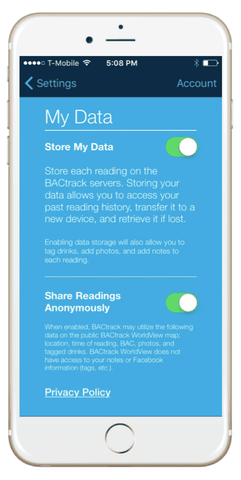
By choosing to share readings anonymously (both Data Storage sliders are green), you are choosing to store your results anonymously in the cloud. This means that if you lose your phone, you can still access your old BAC data. It also means you can access this BAC data across different devices.
Additionally, your BAC results will be added to BACtrack WorldView—a global atlas of anonymous BAC readings.
What’s Being Saved for You Remotely:
What’s Not Shared:
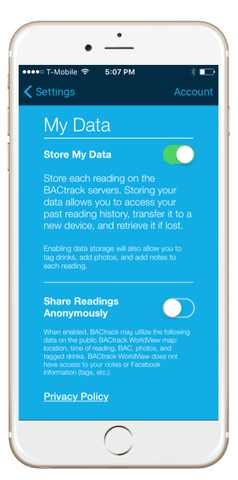
Should you choose to store your results remotely (only the top Data Storage slider is green), you are choosing to store results anonymously on BACtrack Servers. This means that if you lose your phone, you can still access your old BAC data. It also means you can access this BAC data across different devices.
However, because the bottom Data Storage slider is off, your readings will not show up on the BACtrack WorldView map.
What’s Being Saved for You Remotely:
What’s Being Shared Anonymously:
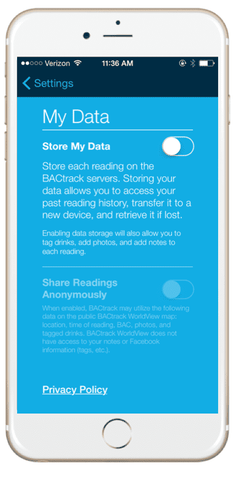
When you choose this option (both Data Storage sliders are off), your results do not leave your mobile device and are not saved at all.
What’s Being Saved for You Remotely:
What’s Being Shared Anonymously:
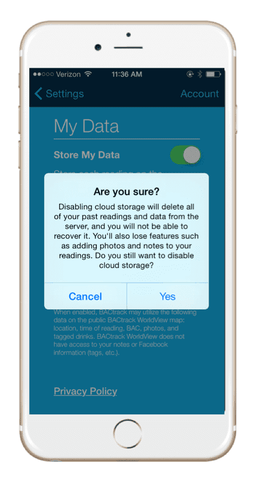
Note that no matter what the level of data storage being employed, the user always has the option of erasing all her readings from the cloud. To do this, simply turn off the “Store My Data” slider. You’ll receive an “Are you sure?” notification, as it will delete all your past readings. Click yes, and all readings, past and present, will be erased permanently.
Still have questions regarding Data Storage settings? Let us know by writing to support@BACtrack.com, or write to us in the comments below. We are happy to help you.
✓
Sensoroptionen in Polizei-Qualität
✓
Schnelle, zuverlässige BAC-Ergebnisse
✓
Persönliche und professionelle Modelle


